






Kids Weather Station
$219.00
+ Free Shipping- A cartoon kid dressed for today’s weather — the picture is the cue
- A short checklist of what to wear and what to bring
- Bedtime and morning routines: pajamas and teeth at night, teeth and breakfast after wake-up
- Today and tomorrow side by side on a big 10.2″ e-ink screen
- No phone, no app, no subscription — an adult sets it up once
No. The character and clothing icons are the visual cue; the checklist text is there to read together while they learn the routine.
The weather, translated into “What do I need?”
Help your child learn what to wear, what to bring and how to get ready for the weather, with a friendly visual guide they can check themselves. A small step for them. A little breathing room for you.
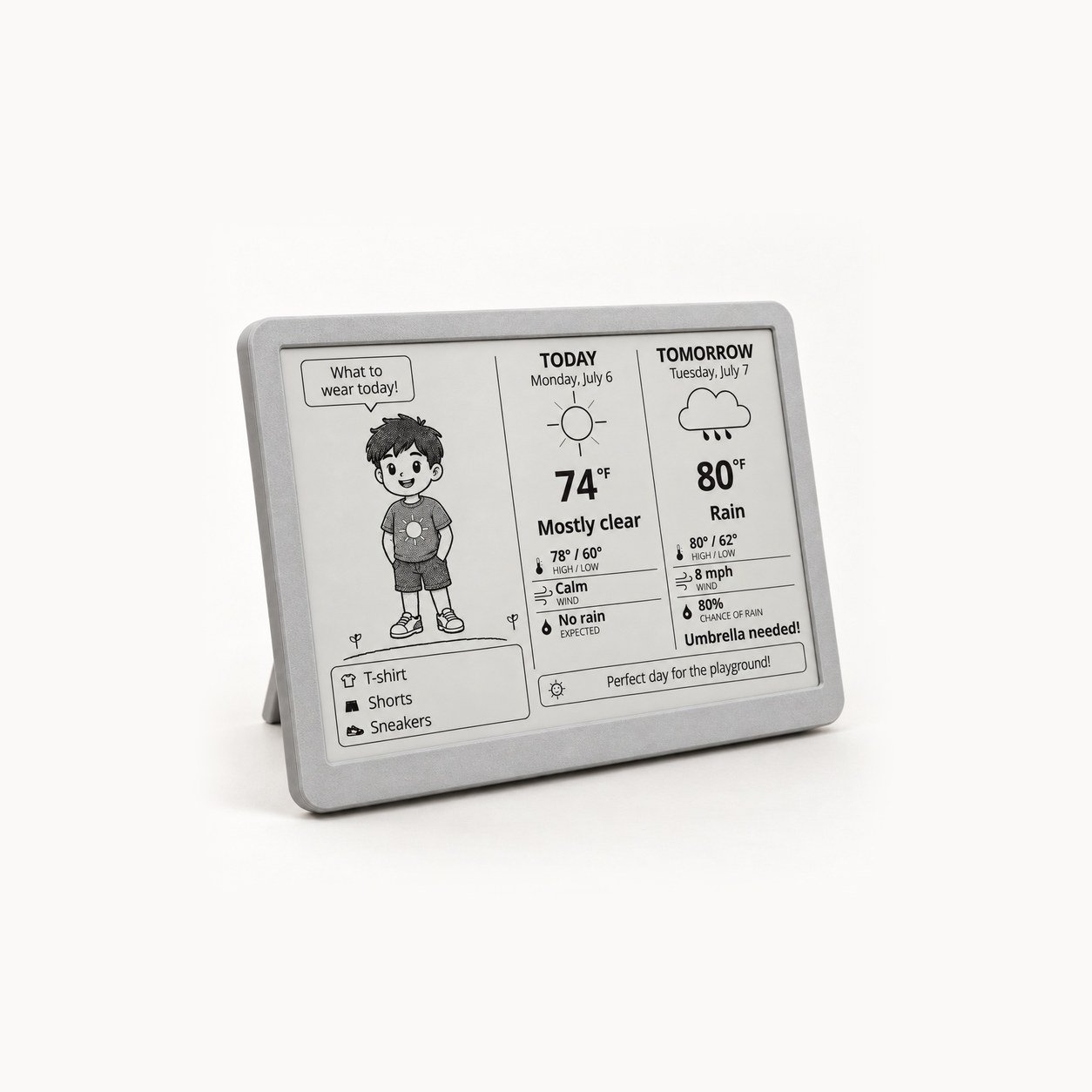
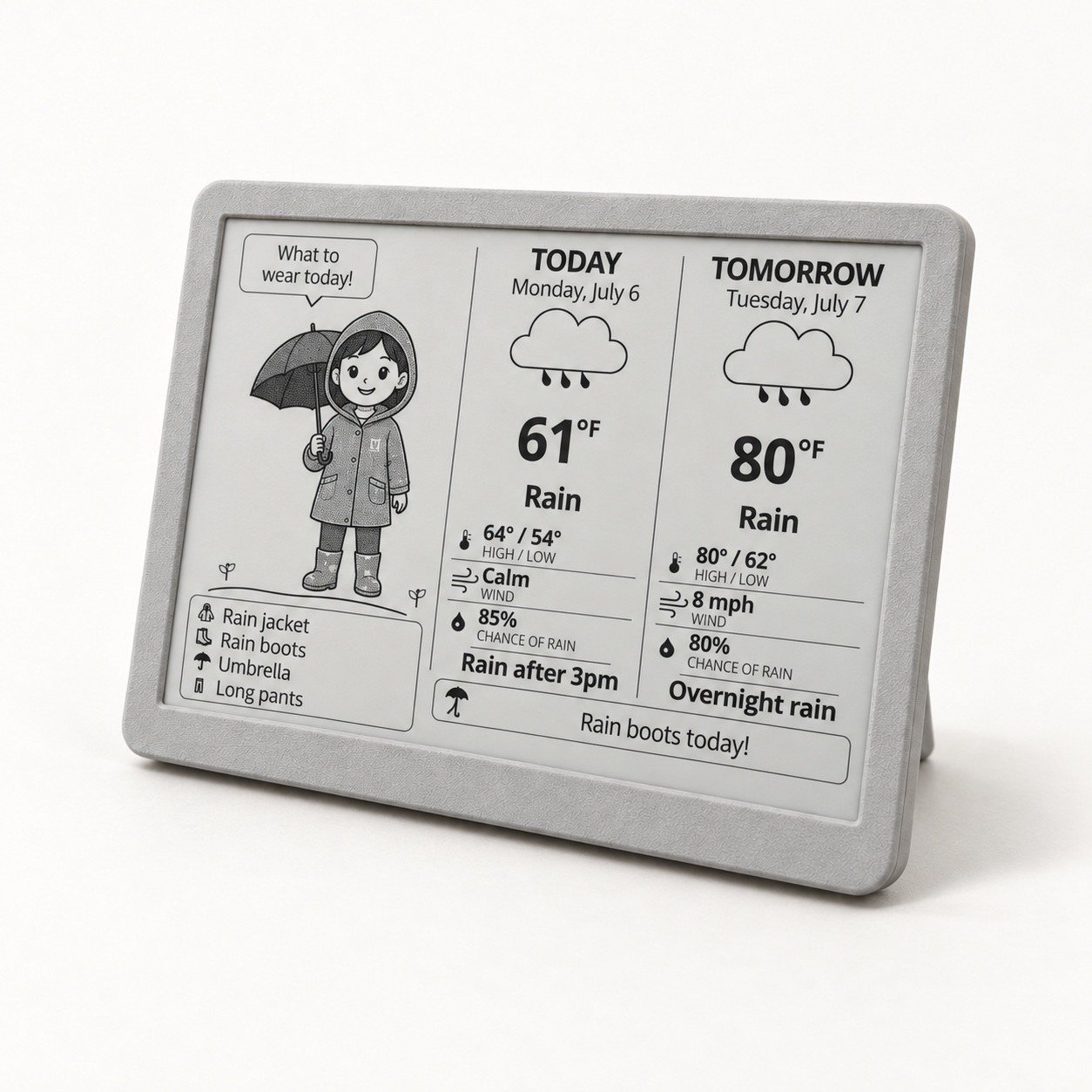
A cartoon kid on the 10.2″ e-ink screen dresses for today’s weather, and a short clothing checklist underneath spells it out: T-shirt and shorts, a warm jacket, rain boots, an umbrella. Today and tomorrow sit alongside, so there are no surprises on the way to school.
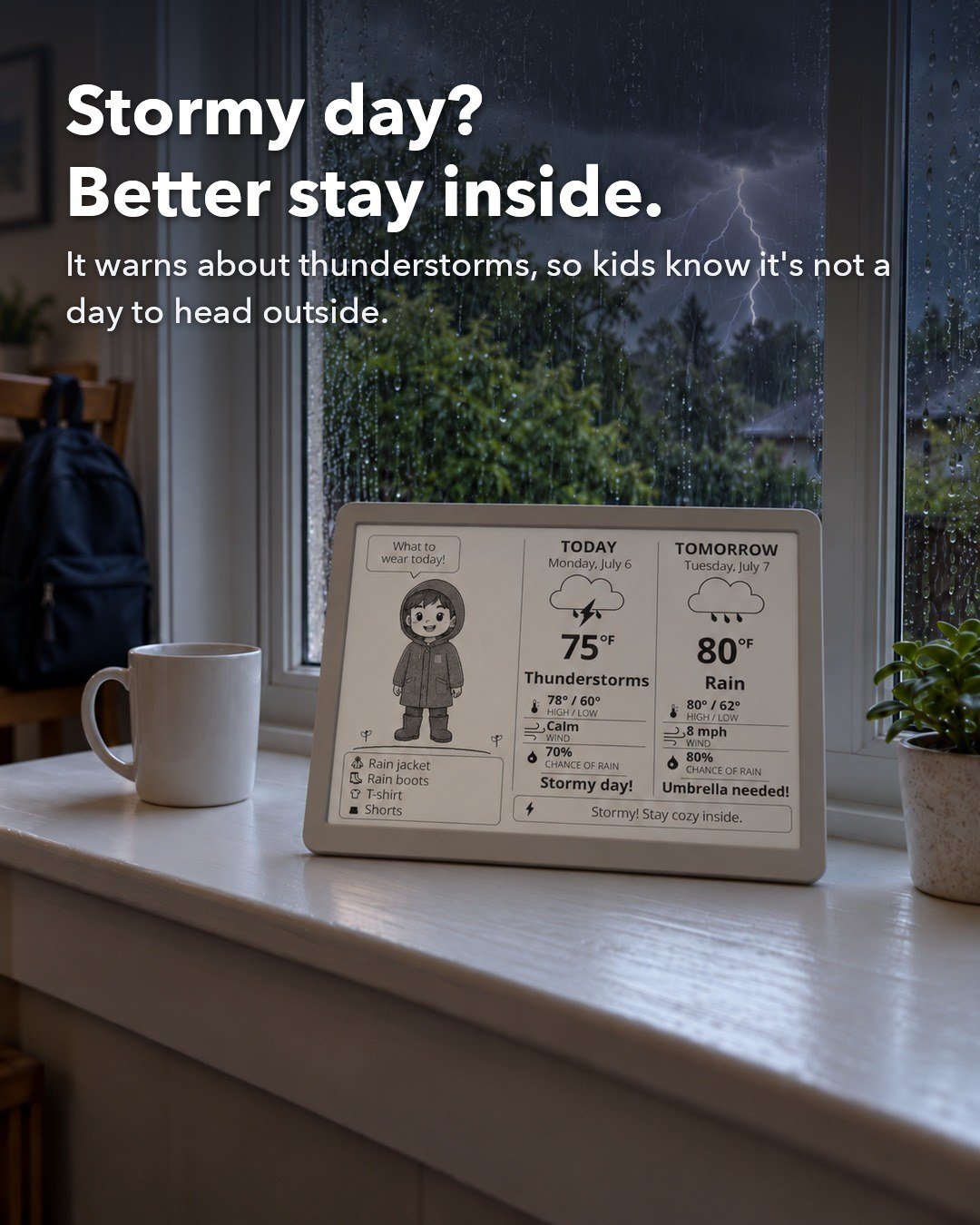
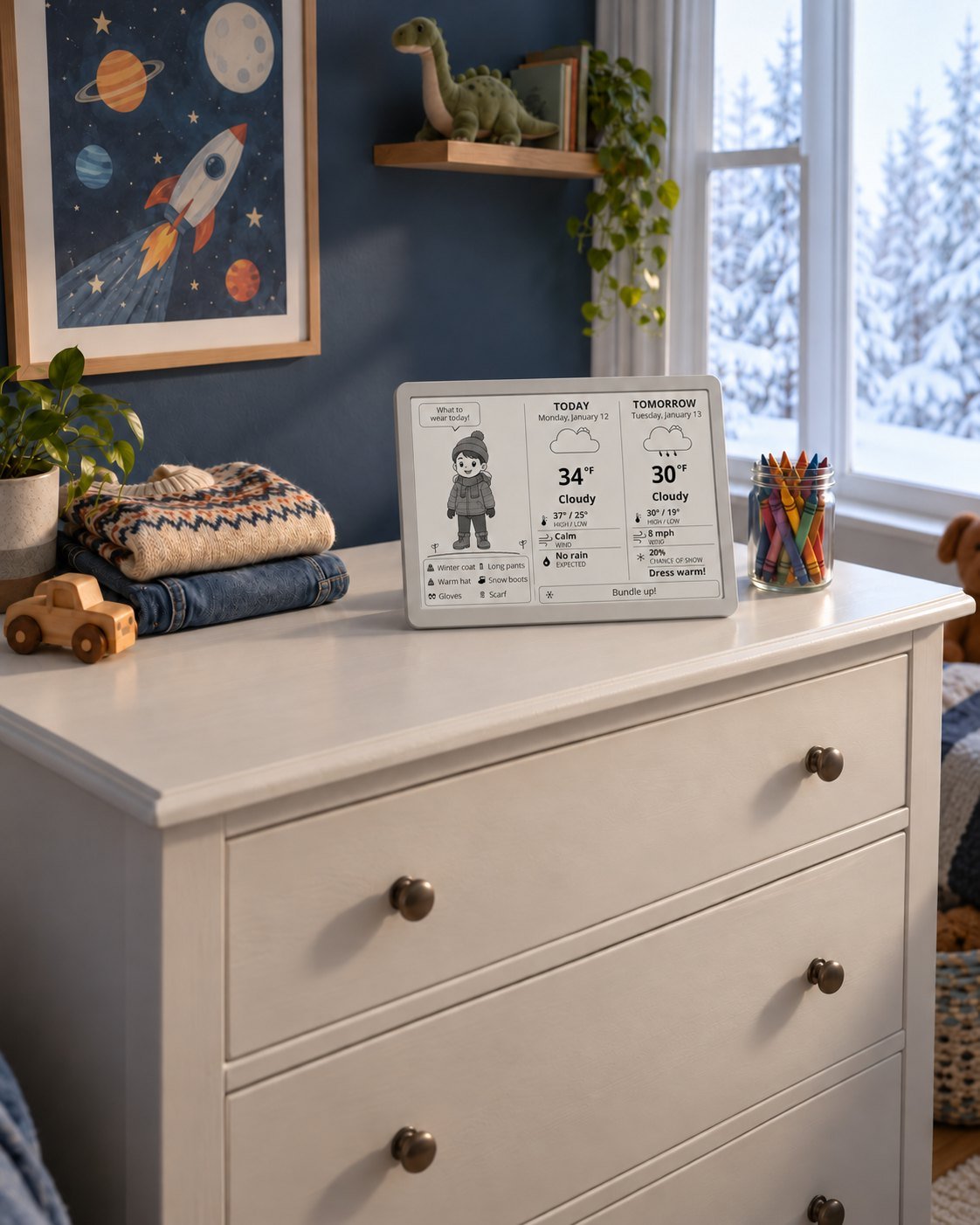
Sunny, snowy or stormy — the answer is on the screen
Before school, your child checks the station and sees what today calls for: a T-shirt, a winter coat and snow boots, or a cozy day inside.


Getting ready can feel like a whole job
“Do I need a jacket?” “Can I wear my sandals?” “Where are your rain boots?” On a busy morning it’s easier to make every decision for them. Knowing the temperature is only part of the puzzle: kids still need help connecting the weather to a practical choice. Kids Weather Station gives them somewhere to start.
Instead of beginning with another instruction, begin with a question: “What does your weather station show today?”
What it helps with
- A starting point they can use themselves — a clear place to look when they’re unsure what to wear.
- Practice making decisions — a jacket, boots, an umbrella: everyday choices that connect what they notice with what they do next.
- A routine they can lead — check the weather, choose clothes, gather what to bring.
- A shared reference — “Let’s check together” can mean fewer repeated reminders.
- Something to feel proud of — “You thought of that yourself.”
A simple way to begin
- Put it where getting ready happens — near their clothes or by the door.
- Make checking it a shared habit — “What do you notice? What might we need?”
- Give them one manageable job — choose between two jackets, or find the boots on the checklist. Build from there at their pace.
From one parent to another
Kids Weather Station has helped my own kids, and that is why I want to share it with other families. My hope is that it helps yours too: a familiar part of the day where your child can look, think, choose and take a little more responsibility — with you beside them as they learn. — Ihor
A thoughtful gift
For a child or grandchild learning to take care of their everyday needs, and a useful companion for their parents’ getting-ready routine. Choose light pink, light blue or a neutral off-white.
The forecast comes from a professional weather service over 2.4 GHz Wi-Fi; an adult does the one-time setup from a phone browser — no app, no account, no subscription.


Two little friends who dress for the day.
Choose the boy or the girl when you set it up. Each morning they’re dressed for the forecast, with twelve outfits from sandal days to snowball weather, a party outfit on their birthday, and pajamas for bedtime and the morning routine.
- 2characters to choose from
- 12kinds of weather, each with its own outfit
- 0apps for your child to open
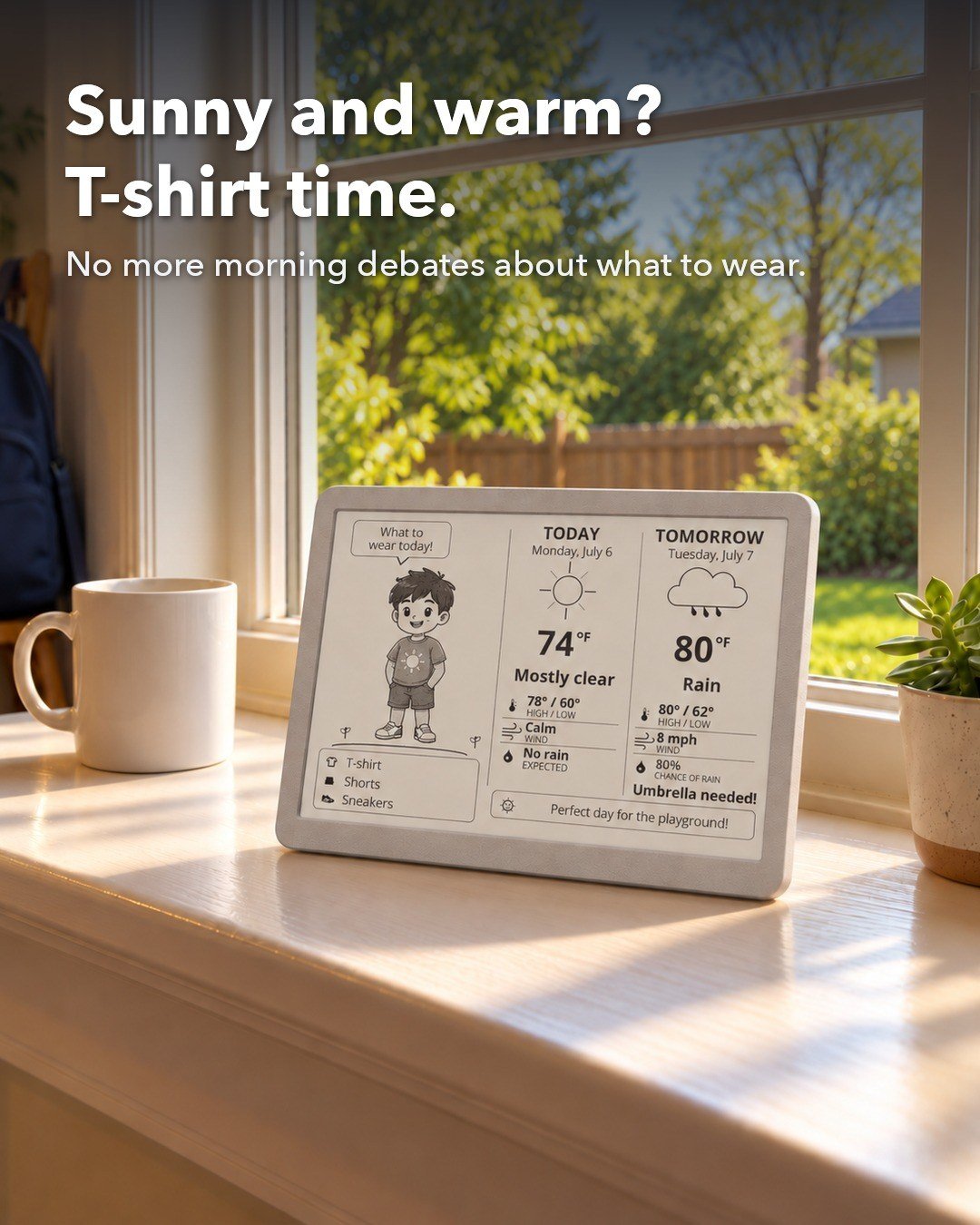
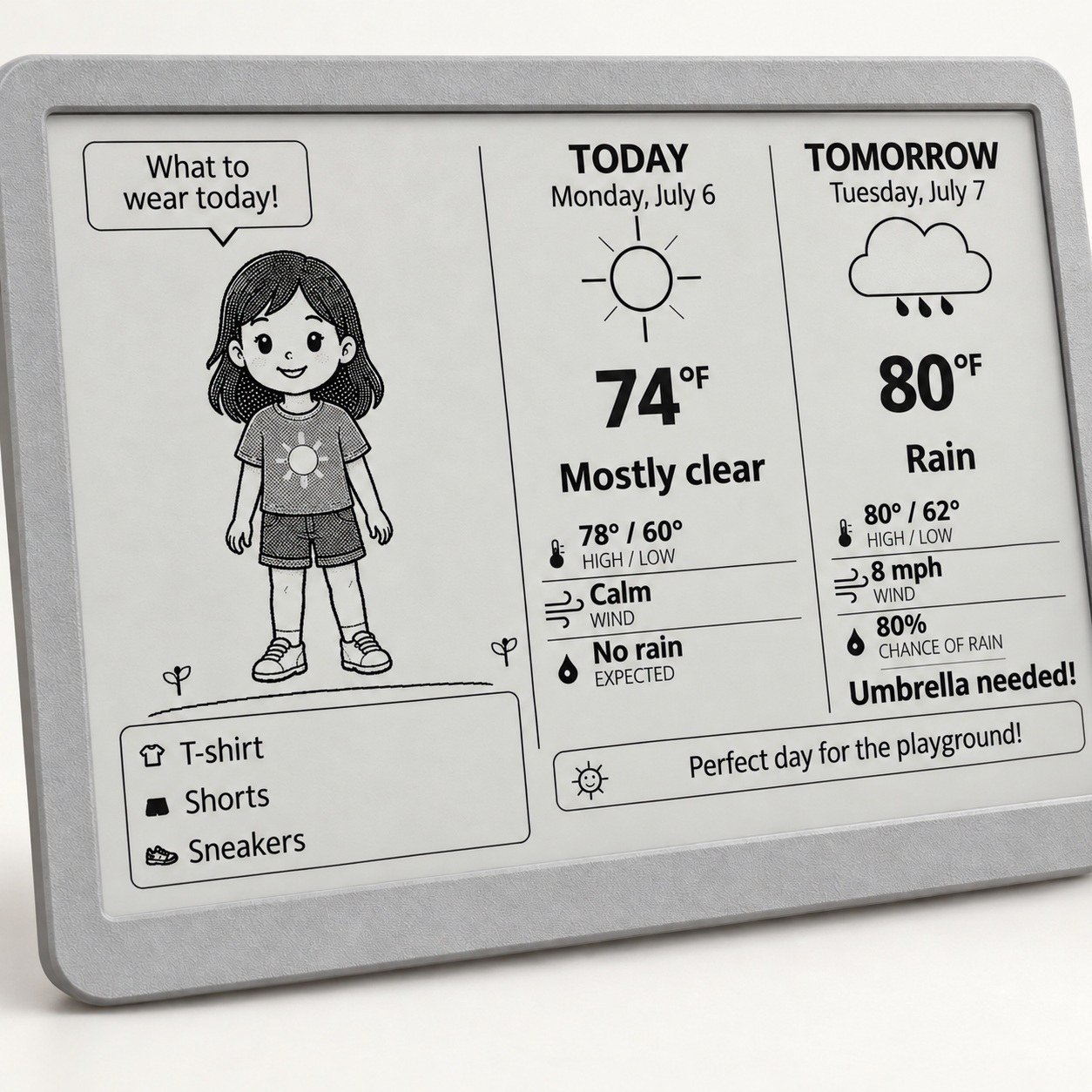
Perfect day for the playground!
- T-shirt
- Shorts
- Sneakers


Stay cool today!
- T-shirt
- Shorts
- Sandals
- Cap
- Water bottle
Sandals on hot, dry days. For the girl, turn on Skirt on warm days in Settings: she’s drawn in a skirt and the list says “Skirt or shorts”.


Have fun outside!
- Light jacket
- Long pants
- Sneakers


Have fun outside!
- Hoodie
- Long pants
- Sneakers


Don’t forget your jacket!
- Warm jacket
- Long pants
- Sneakers
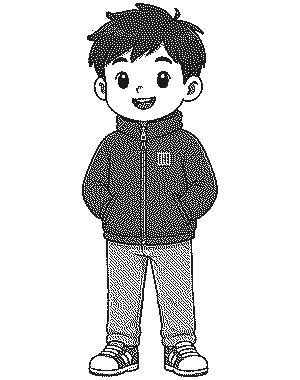

Windy — hold on tight!
- Windbreaker
- Long pants
- Sneakers


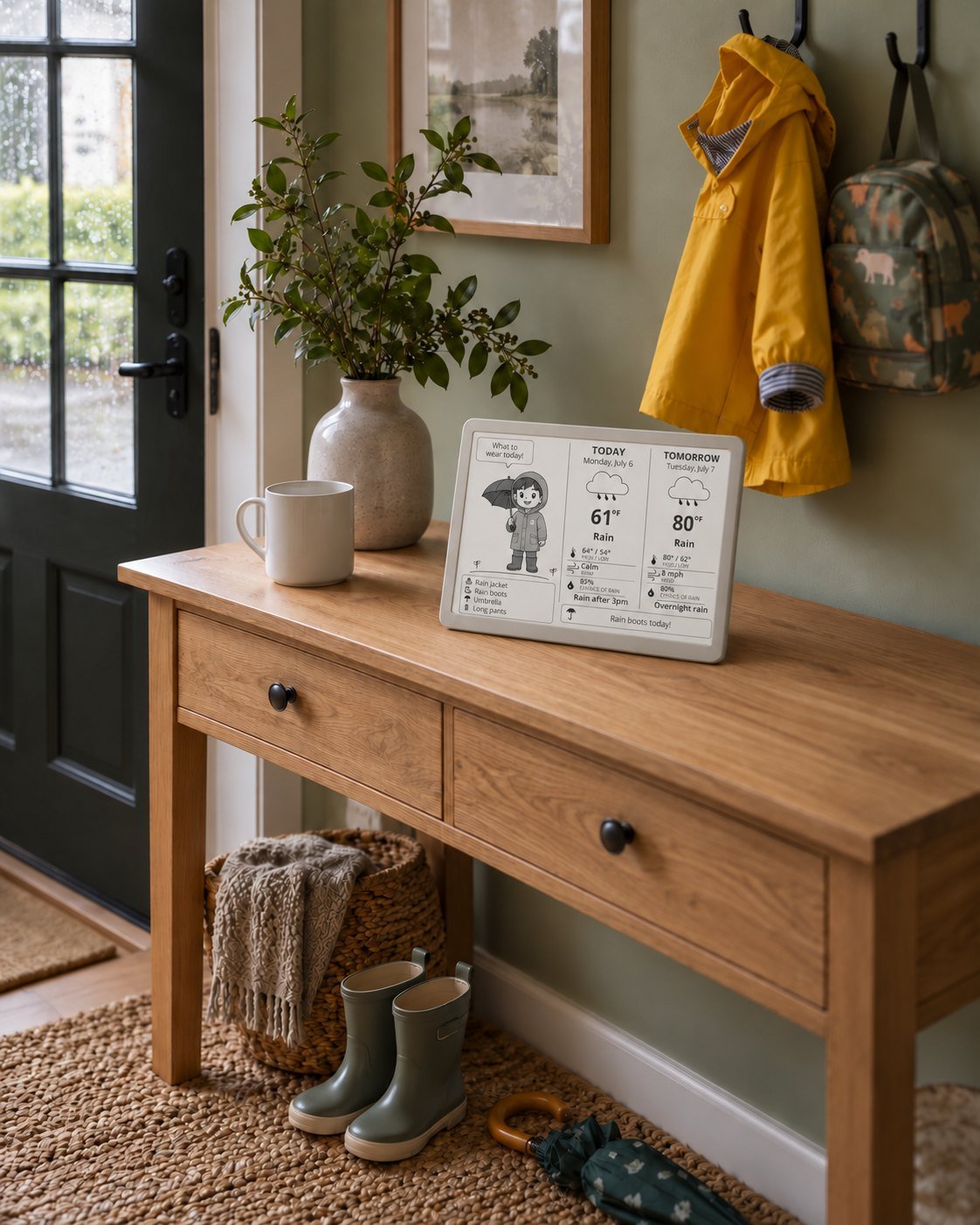
Take an umbrella.
- Rain jacket
- Rain boots
- Umbrella


Stormy! Stay cozy inside.
- Raincoat
- Rain boots
- Long pants


Foggy out — stay close!
- Warm jacket
- Long pants
- Sneakers


Careful, slippery outside!
- Hooded jacket
- Long pants
- Rain boots


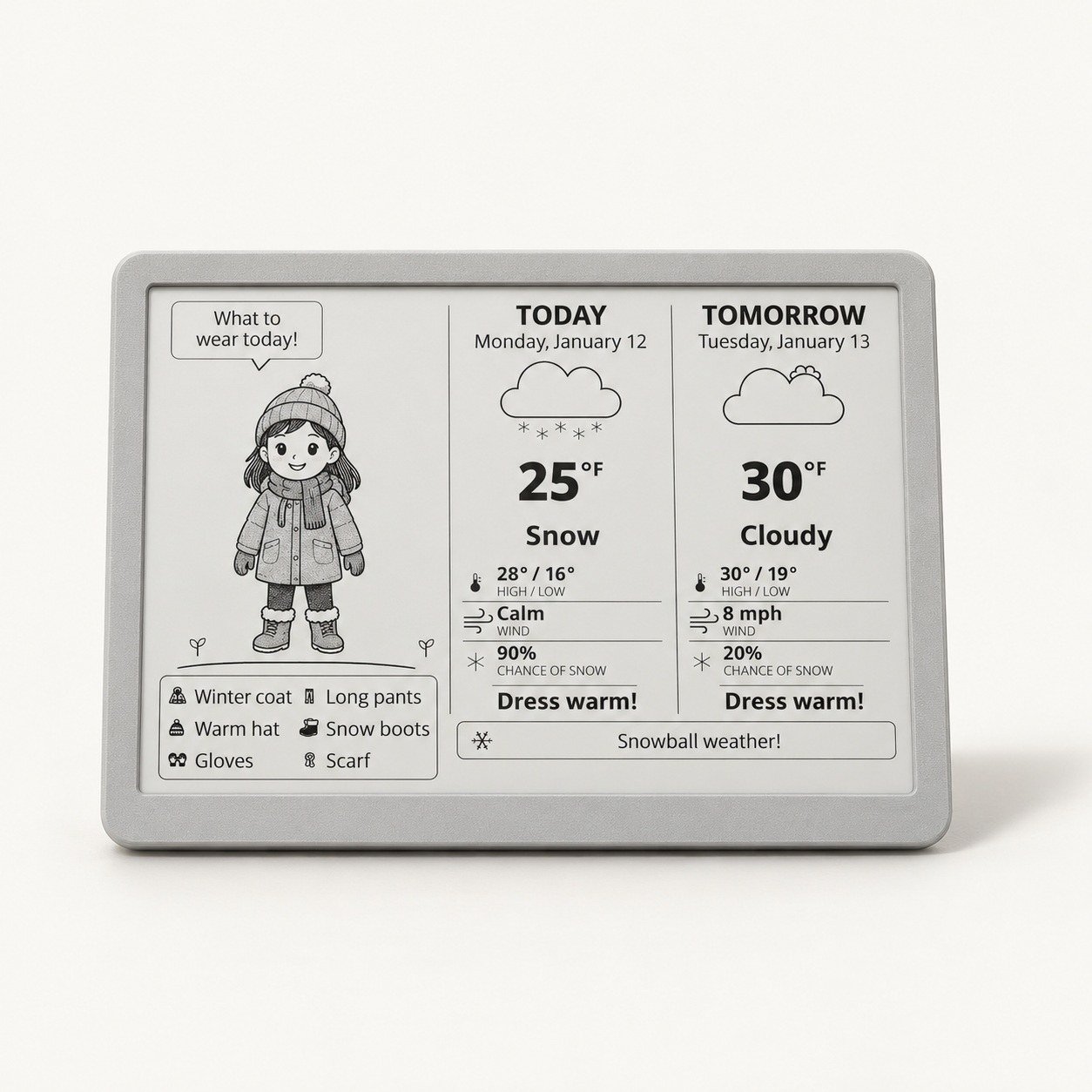
Bundle up!
- Winter coat
- Warm hat
- Gloves
- Scarf


Snowball weather!
- Winter coat
- Warm hat
- Gloves
- Snow boots


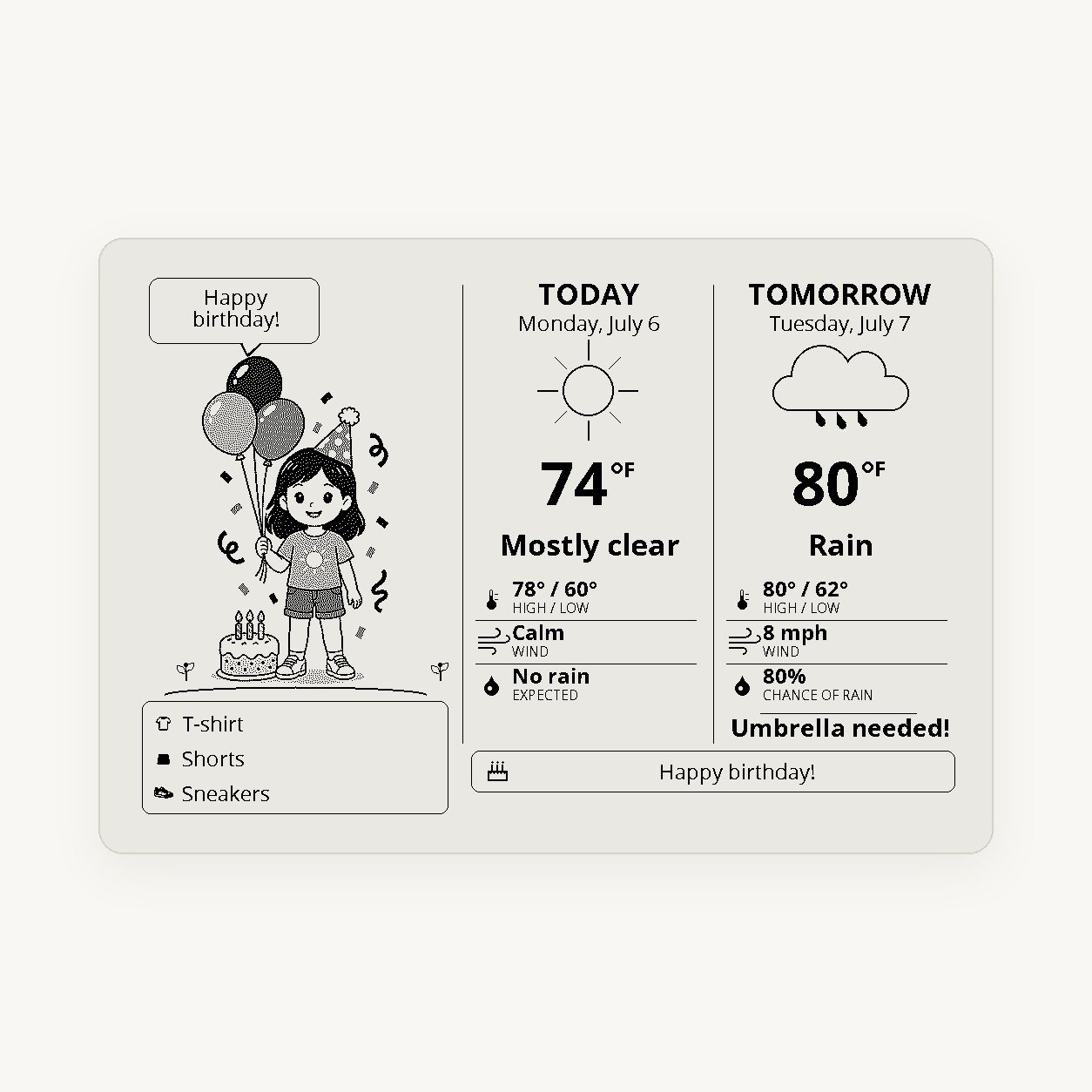
Happy birthday!
- T-shirt
- Shorts
- Sneakers
On their birthday the kids celebrate with balloons, confetti and a cake, still dressed for the weather. Turn on Birthday in Settings and pick the date.


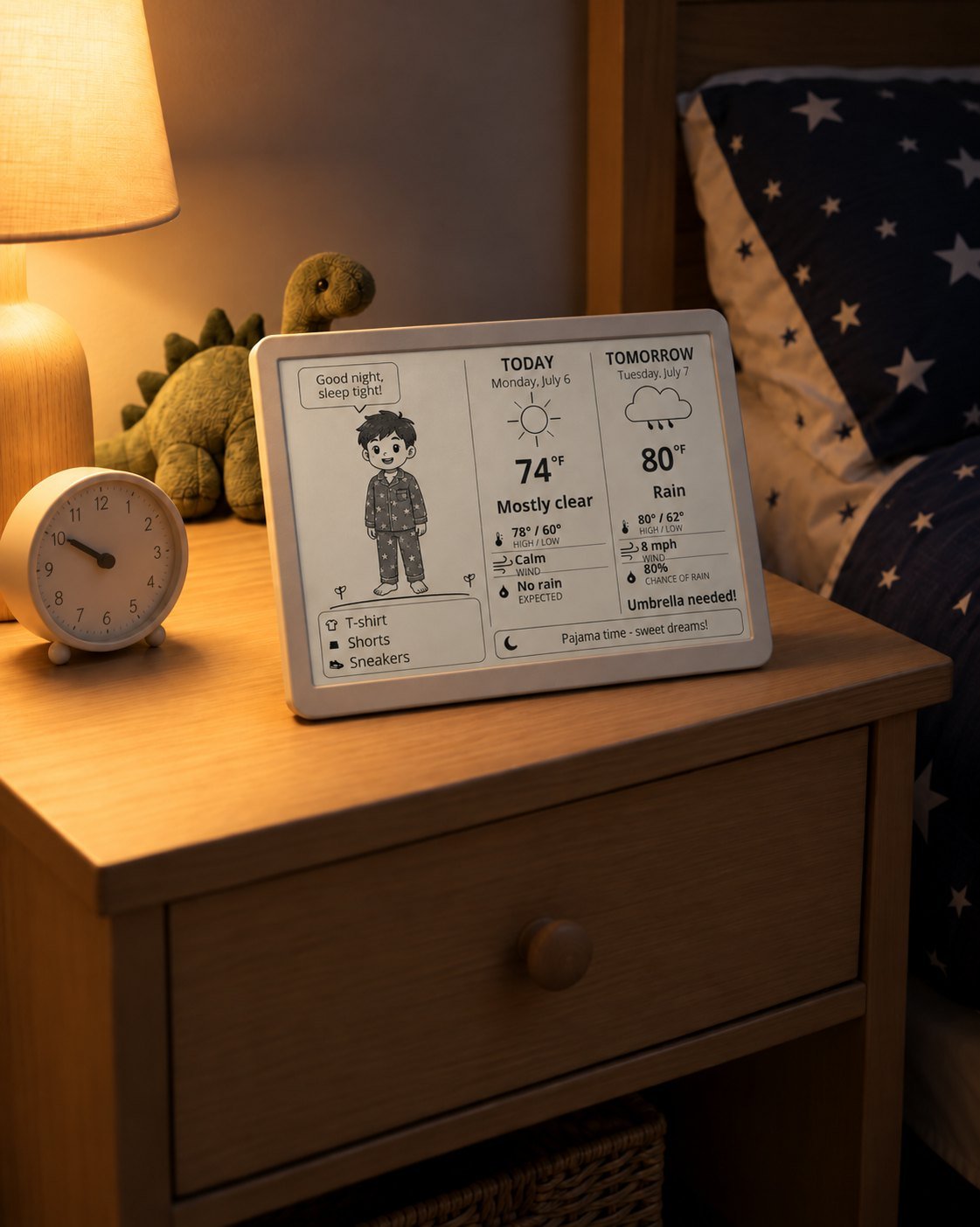
Good night, sleep tight!
- Pajamas
- Brush teeth
Pajama time starts before bed, then the screen goes dark with tomorrow’s weather. See the bedtime-to-breakfast routine below.
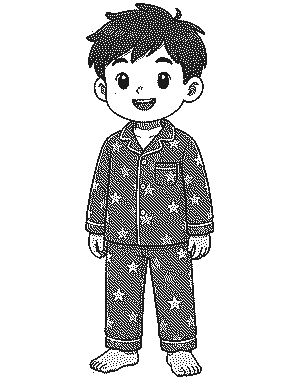

Good morning — rise and shine!
- Brush teeth
- Breakfast
For the first half hour after wake-up, then the outfit for the day.


It runs the routine at both ends of the day.
Set bedtime and wake-up once. In the evening the screen walks your child through pajamas and teeth, stays dark all night, then says good morning and walks them through teeth and breakfast before it shows what to wear.
-
 9:00 PM 30 min before bed
1
Pajama time
The kid on the screen changes into pajamas and says “Good night, sleep tight!” The checklist turns into Pajamas and Brush teeth.

-
 9:30 PM Bedtime
2
Lights out
The screen turns dark: a sleeping kid on one side, tomorrow’s weather on the other. E-ink has no backlight, so nothing glows in the room.

-
 5:12 AM Too early
3
Still dark? Still sleep time.
Early riser? While the screen is dark it isn’t time to get up yet — a signal they can read without telling time.

-
 7:00 AM Wake-up
4
Good morning!
Still in pajamas, the kid says “Good morning!” with Brush teeth and Breakfast on the list. Half an hour later the outfit for the day takes over.


What to wear today
The day screen takes over: the kid dressed for the forecast and the checklist of what to put on, until pajama time comes round again.
Set it to your family’s schedule
- Bedtime and wake-upAny time, in 5-minute steps. On from the first day at 9:30 PM to 7:00 AM; change it or switch it off in Settings.
- Pajama timeStarts 15 minutes to 2 hours before bed.
- Morning routineShows for 15, 30, 45 or 60 minutes after wake-up, or turn it off.
- Battery or plugged inOn battery it wakes right on time for each change and draws the night screen once. Plugged in with Clock mode on, the night screen also shows the time.
Why a kids weather station?
From “Get your jacket” to “What do you think you’ll need?”
- “Do I need a jacket?”
- “Can I wear my sandals?”
- “Where are your rain boots?”
- “What’s the weather tomorrow?”
- “Pajamas on? Did you brush your teeth?”
- “Is it time to get up yet?”
- “Did you eat breakfast?”
- Every reminder coming from you, morning and night
They check the station, spot the jacket on the character and go find their own coat. Tomorrow’s weather is on the screen too. At bedtime the list says pajamas and teeth, a dark screen means it’s still sleep time, and in the morning it’s teeth and breakfast. You still help where they need it — but they took part in the decision.

Everything worth knowing first.
- Works with
- Any 2.4 GHz Wi-Fi. An adult sets it up once from a phone browser; no app, no account, no subscription.
- Forecast
- A professional weather service for your ZIP or postal code (US and Canada): today and tomorrow, turned into an outfit and a checklist.
- Updates
- Every hour: it wakes, fetches the forecast, redraws the outfit and checklist, then sleeps to save battery. E-ink keeps the picture on screen in between.
- Character
- Choose a boy or a girl character at setup. For the girl, Skirt on warm days draws her in a skirt.
- Bedtime & mornings
- Sleep schedule in Settings: pajama time with a Pajamas and Brush teeth checklist, a dark night screen with tomorrow’s weather, then Brush teeth and Breakfast after wake-up. On by default (9:30 PM to 7:00 AM); set your own times or turn it off.
- Birthday
- Turn on Birthday in Settings and pick your child’s birthday. On the day the kids celebrate with balloons, confetti and a cake, and the screen says “Happy birthday!”
- Screen
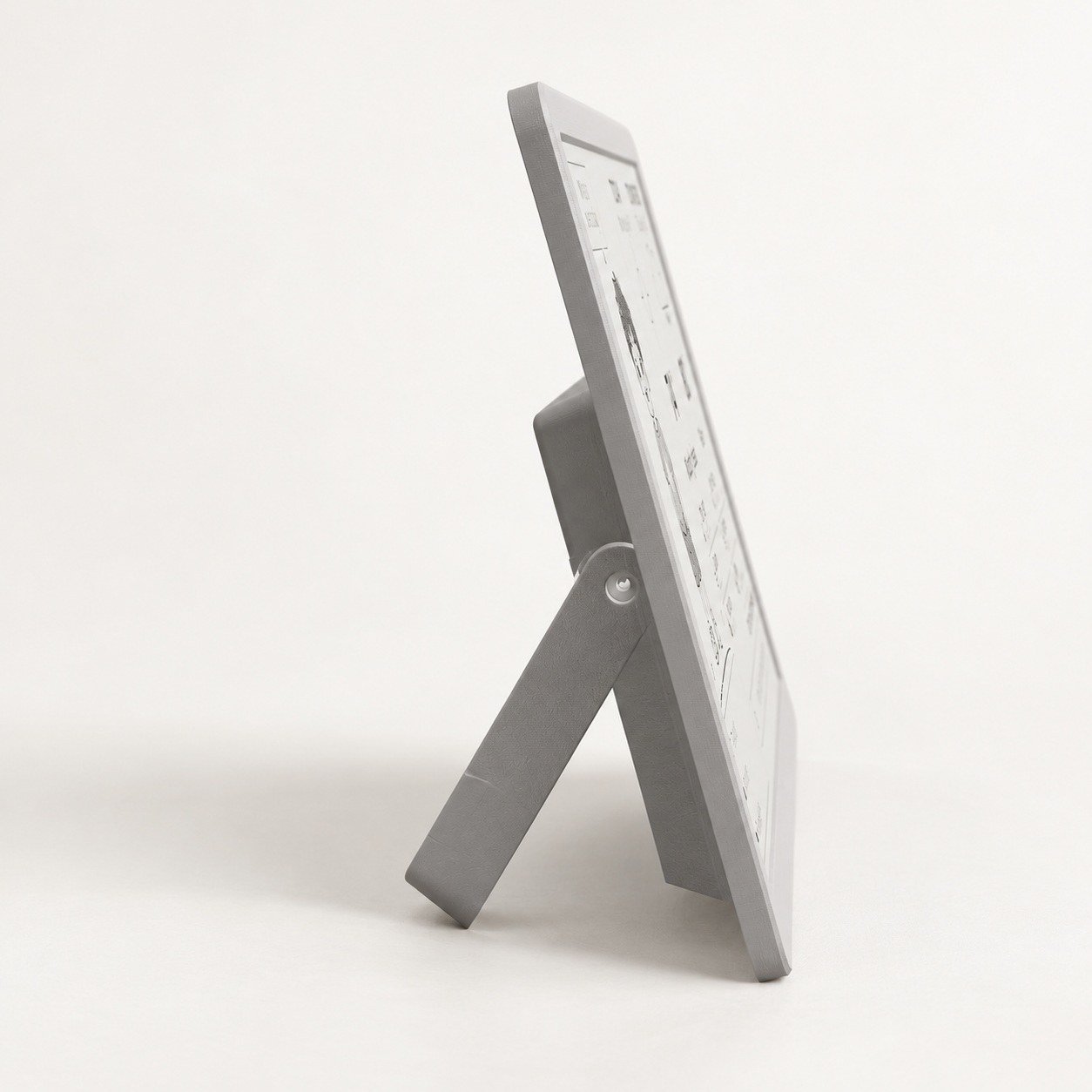
- 10.2″ e-ink: no backlight and no glare, easy on young eyes.
- Power
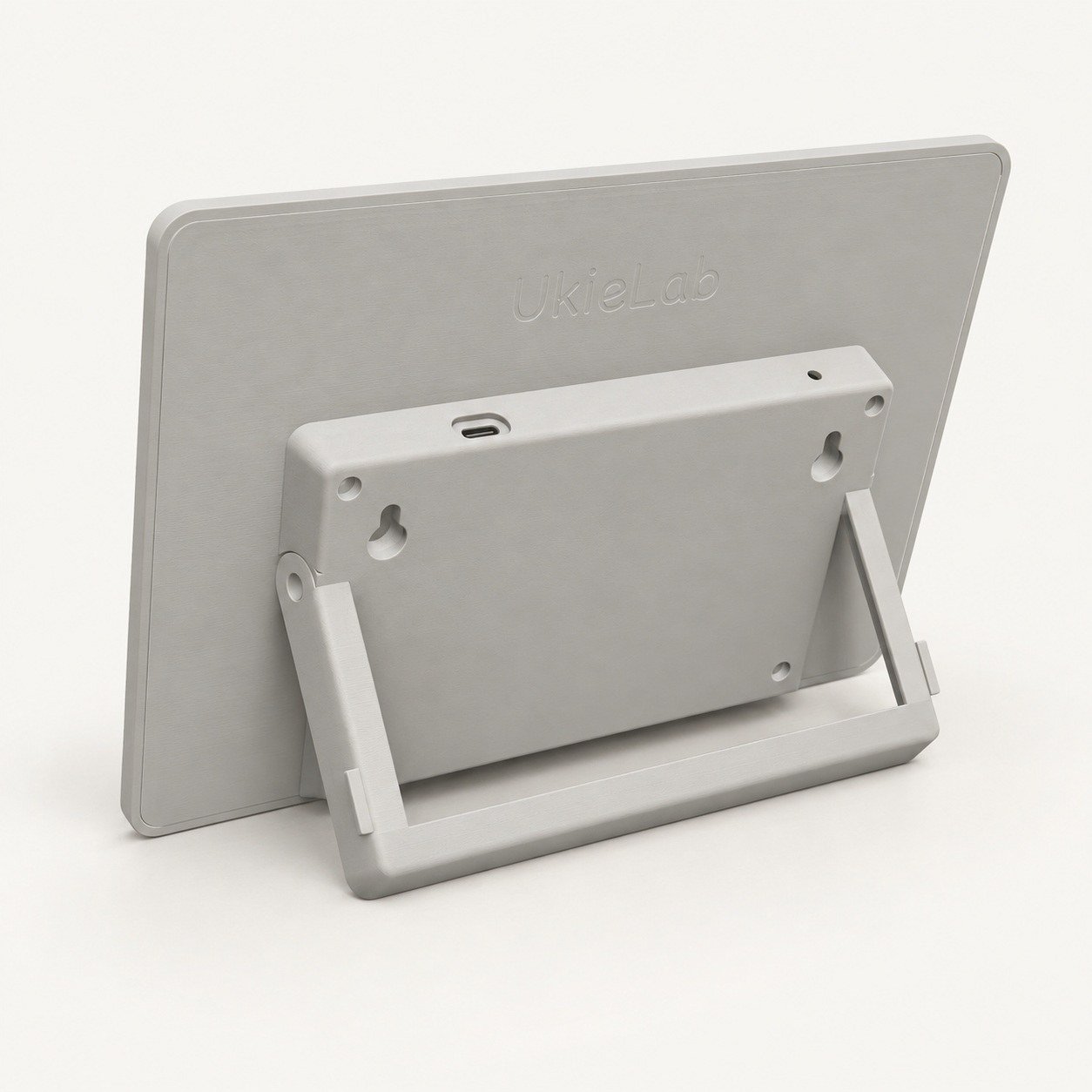
- Rechargeable battery with USB-C charging, or leave it plugged in.
- Colors
- Light pink, light blue or a neutral off-white.
- If Wi-Fi drops
- The last screen stays up (e-ink holds its image without power) and it updates again at the next refresh once Wi-Fi is back.
- Shipping
- Free US shipping. Assembled, flashed and tested by hand in New Jersey before it ships.
- Returns
- 30 days, 100% money back. Free returns — I email you a prepaid label.
Questions people ask
Does my child need to read independently?
No. The character and clothing icons provide visual cues. Children who need help with the checklist text can look at it with an adult and learn the routine together.
Will it tell my child exactly what to wear?
It suggests clothing and items based on the weather. Use those suggestions as a starting point, then help your child account for their comfort, plans and the conditions outside.
How does it help with independence?
It gives your child information they can use and a repeatable task to practice: check, choose and get ready. You decide how much responsibility to hand over as they learn.
Does my child need to use a phone to check it?
No. They look directly at the weather station for the picture and checklist. An adult handles the one-time setup.
Will the screen keep my child awake?
No. E-ink has no backlight, so it never glows. At bedtime it switches to a dark night screen with tomorrow’s weather, and it stays dark until wake-up.
Can I change bedtime and wake-up?
Yes. Pick both in Settings in 5-minute steps, choose when pajama time starts (15 minutes to 2 hours before bed) and how long the morning routine shows, or turn the schedule off.
Does it work on 5 GHz Wi-Fi?
It needs 2.4 GHz, which almost every home router provides alongside 5 GHz.
No reviews yet
Be the first to tell others how it works on your shelf.
Help them take the next small step themselves.
In light pink, light blue or off-white. Free US shipping, and 30 days to return it for free.

Reviews
There are no reviews yet.