
E-ink family calendars for iCloud & Google.
Your iCloud or Google week, always on the wall. Everyone in the house sees the same plan without opening a phone.
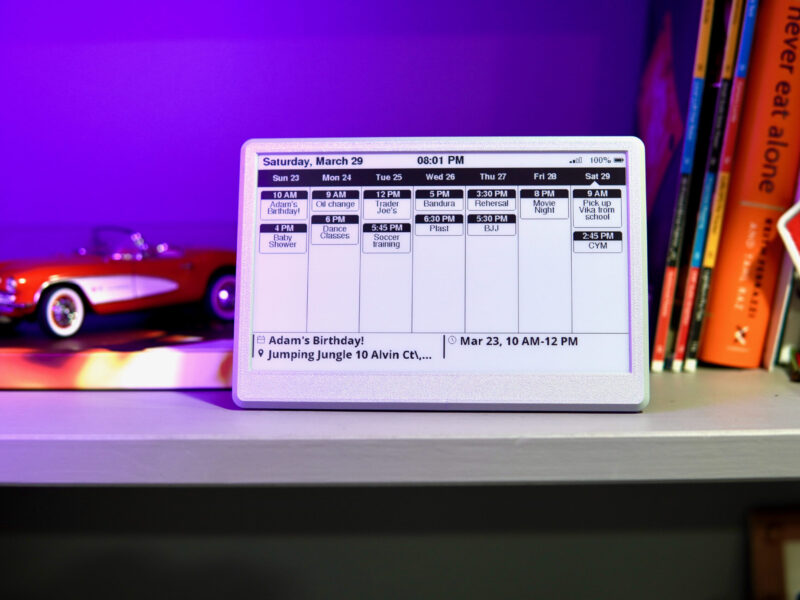
Always on, never glowing.
Touchscreen family calendars are bright tablets that need a plug and often a subscription. An e-ink calendar just shows the week.
- Reads like paper, no backlight
- Weeks on a charge
- No subscription, no app
- Bright LCD, glows at night
- Needs to stay plugged in
- Often a paid plan for extras
Choosing an e-ink family calendar
An e-ink calendar puts the household’s week where everyone walks past it — on the fridge, a hallway shelf or a desk — without another glowing screen. It reads your calendar over Wi-Fi every 30 minutes and holds the picture between updates, so it runs for weeks on its 3000 mAh battery.
It works with Apple iCloud and Google Calendar through a calendar link. For iCloud, turn on “Public Calendar” and copy the share link. For Google, copy the calendar’s “Secret address in iCal format” from settings. The display shows one calendar link, so most families create a shared “Family” calendar that everyone adds to — which also keeps personal calendars off the wall. Either link works without a password, so keep it to yourself; Google lets you reset its secret address if it’s ever exposed.
It isn’t a touchscreen: you add events on your phone as usual, and they appear on the wall within about 30 minutes. The time at the top shows when it last updated.
Good questions.
Does an e-ink calendar work with iCloud?
Yes — through the calendar’s public share link from the iPhone Calendar app.
Does it work with Google Calendar?
Yes — paste the calendar’s “Secret address in iCal format” during setup. Keep that address private; work and school accounts may have it disabled.
Can I add events on the display?
No, it isn’t a touchscreen. Add events on your phone; they appear within about 30 minutes.
Is there a subscription?
No. It reads your calendar directly from Apple or Google.